

Understanding the differences between ChatGPT’s AI experiences, Claude Cowork, and AI built into other software.
By Mark Su
You may already use ChatGPT or Claude, have an AI tool taking meeting notes, and have tried AI features in other business applications. But having access to several tools does not necessarily make it obvious which one to use.
Then there are the names within those products: Chat, Work, workspace agents, and dots. Are these different versions of the same thing? Do they offer different capabilities? When would you use one instead of another?
This guide explains the differences, where the capabilities overlap, and when each approach is useful—including tools you may already have. We will use OpenAI’s products as the main reference and explain where Claude Cowork and AI features in other applications fit.
The Differences at a Glance
The examples below illustrate possible uses. Tasks involving company information or actions in another application require the appropriate connections and permissions.
| AI experience | Main distinction | When it is useful | Illustrative example |
|---|---|---|---|
| Chat | Conversational assistance: ask questions, explore ideas, analyze information, and refine drafts. | You want to work through something together. | Explain a report, challenge a business idea, or improve an email. OpenAI |
| Work | Task execution: carry out a multistep assignment using available files, tools, and applications. | You want a finished deliverable or an approved set of actions completed. | Gather customer information and prepare a meeting briefing. ChatGPT Learn |
| Workspace agents | Reusable workflows: package instructions, knowledge, and tools into an agent that colleagues can use. | Your team repeatedly performs a similar process. | Give account managers a shared process for preparing customer briefings. OpenAI |
| Dots | Ongoing assistance: maintain context, proactively review information, and coordinate work between conversations. | You want help following a continuing responsibility, not just one assignment. | Track a project’s outstanding work and bring forward decisions requiring attention. OpenAI Help Center |
| AI inside other software | Application-specific assistance: AI capabilities are built into a product’s existing workflow. | The work already happens in that application. | Turn a meeting transcript into a summary and action items. Developers can build such capabilities into their software through an AI provider’s API. OpenAI Developers |
These are practical distinctions, not rigid categories. An agent can perform several kinds of work, and different experiences may use related underlying models. The model and the way the product organizes work are separate considerations. OpenAI Help Center
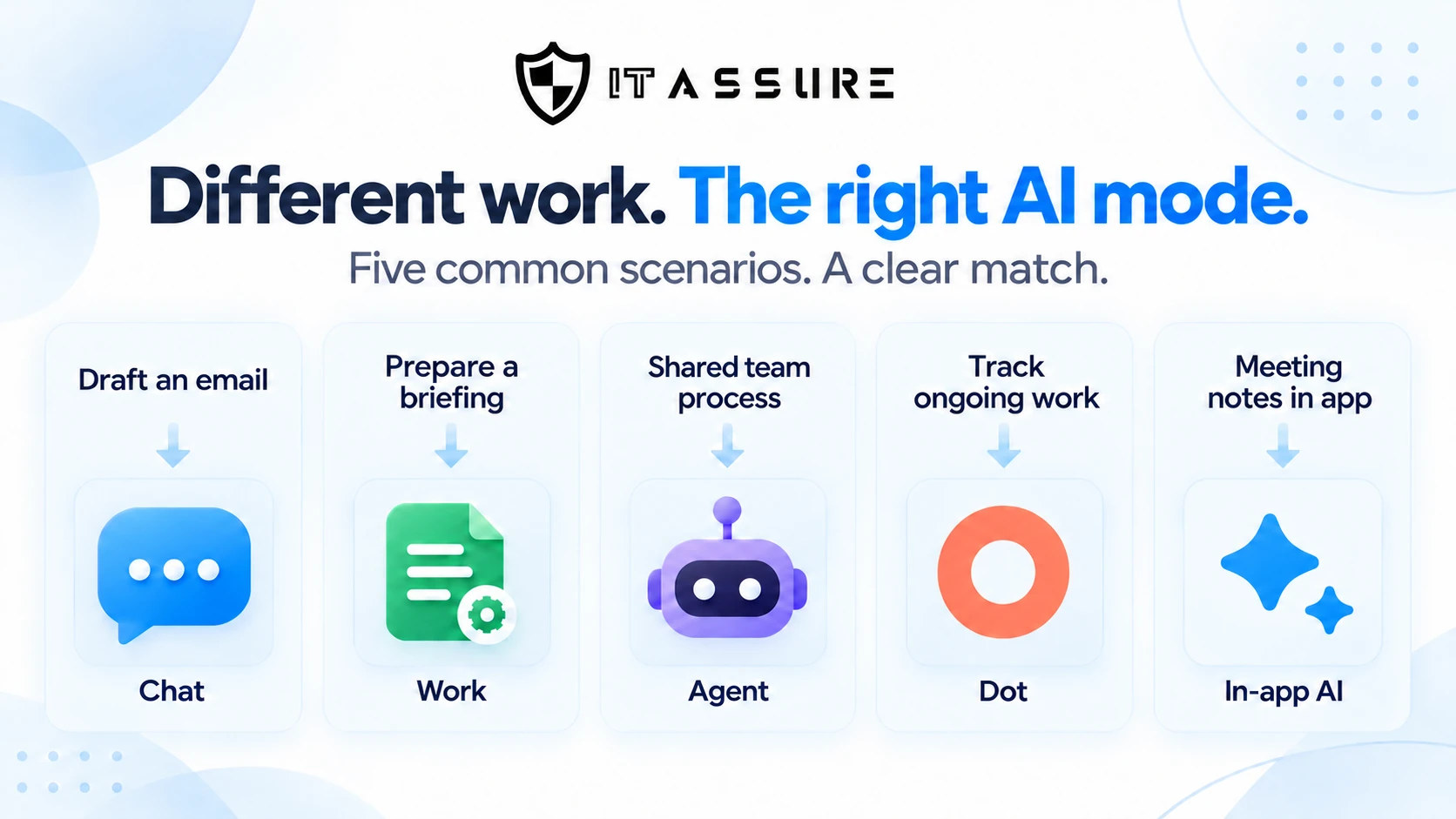
Chat vs. Work: What Changes?
The main difference is how you direct the work. In Chat, the conversation is usually the center of the experience. In Work, the conversation directs a larger assignment that the system can carry out for your review. OpenAI recommends Chat for questions and conversational help, and Work for substantial tasks and finished deliverables. OpenAI
Chat: Ask, discuss, and refine
Chat is the familiar back-and-forth experience. You provide a question, document, or idea; AI responds; and you guide the next step.
For example:
“Here are my notes from a customer meeting. Help me write a follow-up email.”
You review the draft, clarify a point, change the tone, and decide whether it is ready.
Chat is not limited to generating text without outside information. Depending on available features and limits, ChatGPT can search the web, analyze data, and work with uploaded files. Those capabilities are not exclusive to Work or to a paid subscription. OpenAI Help Center
My starting point would be Chat when I want an explanation, a second opinion, a draft, or help thinking through a decision. There is no reason to turn a straightforward question into a larger assignment.
Work: Carry out the assignment
Work goes beyond discussing the task. It can use files, connected applications, and approved tools to retrieve information, create deliverables, and execute workflows. Supported environments also provide browser and local-computer capabilities. ChatGPT Learn
Instead of supplying meeting notes yourself, an illustrative request might be:
“Find the previous meeting notes and relevant customer updates. Prepare a briefing with unresolved issues, decisions needed, and a proposed agenda.”
The assignment includes gathering the information and producing the result—not just writing from material you have already assembled.
I experienced this distinction while refreshing IT Assure’s website. I supplied our positioning, visitor journey, design requirements, and approved content, then used AI to help audit the site and execute revisions. The task was no longer limited to asking what should change. It included carrying out the changes.
I describe that experience in When AI Started Doing the Work: Lessons From Refreshing Our Website.
The difference was who performed the implementation—not whether human direction was still necessary.
Work can also run on a schedule or supported event trigger. It is not limited to one-time assignments, and it is available on eligible personal paid plans as well as organizational plans. You do not need ChatGPT Business simply to use Work. OpenAI Help Center
Is Work the same as Agent mode?
OpenAI previously offered a product called ChatGPT Agent mode. Its current Help Center notice says that experience is no longer available and directs users to Work. OpenAI Help Center
However, agent also describes a broader kind of AI system that performs tasks. Work is an agent, and so is a dot. Therefore, “agent” does not always mean a separate mode. Workspace agents, discussed next, are another specific product feature—not simply the old Agent mode under a different name. OpenAI Help Center
Where does Claude Cowork fit?
Claude Cowork addresses a comparable category of work: multistep tasks involving research, files, and finished deliverables. Anthropic is gradually combining Chat and Cowork into one conversation experience, allowing Claude to move between answering a question and executing more substantial work without requiring the user to select a separate mode. Claude Help Center
That makes Cowork a useful comparison with Work, but not an identical product. The available tools, connections, and operating controls still need to be evaluated separately.
Workspace Agents: Make a Workflow Reusable
A workspace agent packages a particular process into a reusable configuration. It can include instructions, reference material, connected applications, and tools. You can test the agent, share it with colleagues, and run it repeatedly, including through schedules or supported triggers. OpenAI Help Center
The distinction from an ordinary Work conversation is reuse across a team.
Suppose you develop a useful way to prepare a daily action summary from email, messages, and meetings. You want it to distinguish between your own commitments and work you have asked others to complete.
I have worked on this kind of assistant myself. The opportunity is to let colleagues use the same process rather than require everyone to recreate the instructions independently.
An illustrative instruction would be:
“Identify my outstanding commitments and the work I have assigned to others. Link each item to its source, include deadlines where stated, and flag uncertain ownership.”
A workspace agent makes that process available as a configured tool. OpenAI offers workspace agents in eligible Business, Enterprise, and Edu workspaces. OpenAI
Whose information does a shared agent use?
Sharing the agent does not, by itself, answer that question.
OpenAI supports two approaches to app authentication:
End-user account: Each person running the agent connects their own account.
Agent-owned account: The agent uses a shared connection. OpenAI recommends a restricted service account where possible rather than casually attaching someone’s personal account. OpenAI Help Center
For a personal action summary, I would normally want each employee’s own authorized information. For a shared operational process, a deliberately restricted shared account may be appropriate.
The principle is straightforward: reuse the process without unintentionally expanding access to information.
Dots: Continue Between Conversations
A dot is designed for ongoing assistance. OpenAI describes it as an always-on agent with its own computer that can continue making progress between conversations. It can use connected applications and proactively review information, even without a new question about that information. OpenAI Help Center
Consider these two illustrative assignments:
Work: “Prepare a status report for the website project.”
Dot: “Help keep the website project moving. Track unfinished work and decisions, review relevant updates, and bring me items requiring approval.”
The first has a defined deliverable. The second describes a continuing responsibility.
A dot can use relevant ChatGPT memory and its own saved notes to connect new information with ongoing work. Those notes help maintain continuity, but they are not a complete record of everything you have said or everything happening in your business. ChatGPT Learn
How is that different from a scheduled task?
A scheduled task follows an instruction at an agreed time or trigger. For example:
“Every morning, summarize forum posts about these three topics.”
Work can already support recurring or event-triggered tasks. A dot’s additional emphasis is broader continuity, proactive investigation, and coordination across related work. OpenAI Help Center
That does not automatically make a dot the better choice for every recurring process.
For a predictable daily summary, I would start with a defined scheduled workflow. For an evolving project where priorities and next steps change, I would consider a dot.
I would also avoid equating always-on with complete awareness. Define the responsibility clearly, confirm what information is accessible, and review whether its follow-up is useful.
AI Inside Other Software: A Capability Within an Application
AI can also be built into software you already use.
Imagine a meeting application that produces notes, an invoice tool that extracts billing details, or a customer-management system that prepares a suggested response. In these examples, the software provides a specific workflow around the AI capability.
Developers can use an AI provider’s API—a software connection—to add model capabilities to their applications. That is different from giving the user the full ChatGPT interface and all its features. OpenAI Developers
The surrounding application determines how the capability is presented: what information is supplied, what instructions apply, and what the user can do with the result.
This can be the most convenient approach when the task already happens inside that software.
For example, I would not automatically introduce another assistant if an existing meeting tool already produces the summary the team needs. A separate workflow becomes more useful when the job extends beyond the meeting—for example, combining its notes with customer records and outstanding commitments.
Embedded AI is not necessarily confined to one application. Developers can connect it to external services and tools. Its actual scope depends on the implementation and permissions, not simply where the AI button appears. OpenAI Developers
The useful comparison is therefore between the complete workflows, not just the model names behind them.
Are These Different AI Models?
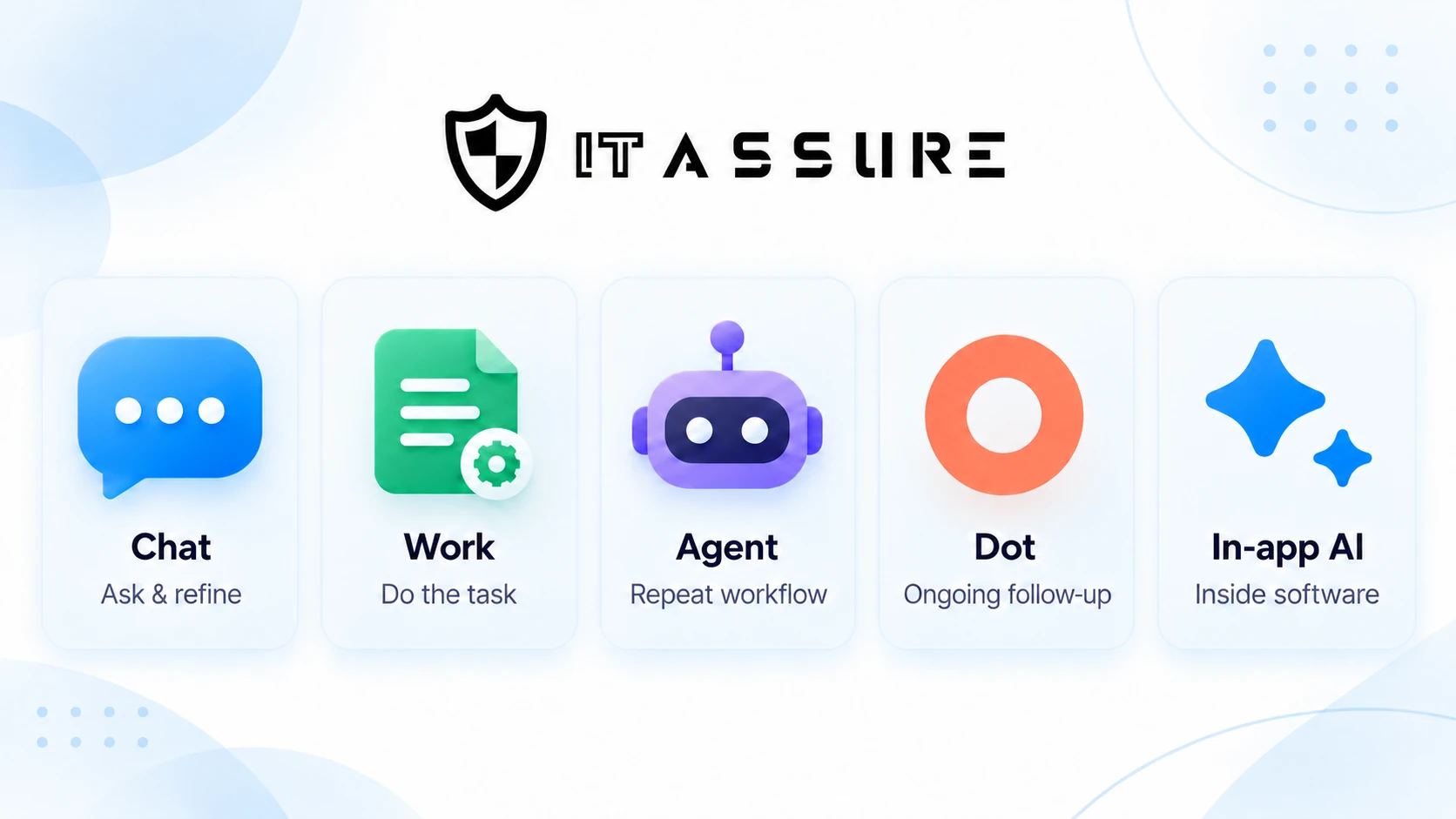
Not necessarily.
The model is the underlying system processing information and generating responses. The experience determines how you interact with it and how tools, context, and execution are organized.
OpenAI’s documentation distinguishes Chat and Work from the model choices available within them. Some models are available only in particular experiences, but selecting Work or a workspace agent is not simply selecting a universally “smarter” version of Chat. OpenAI Help Center
That distinction helps explain the overlap. Several experiences may help draft a report. What differs is whether you supply the information, delegate its collection, reuse an established team process, or ask for the report to be maintained as circumstances change.
Which Should You Use When You Already Have Several?
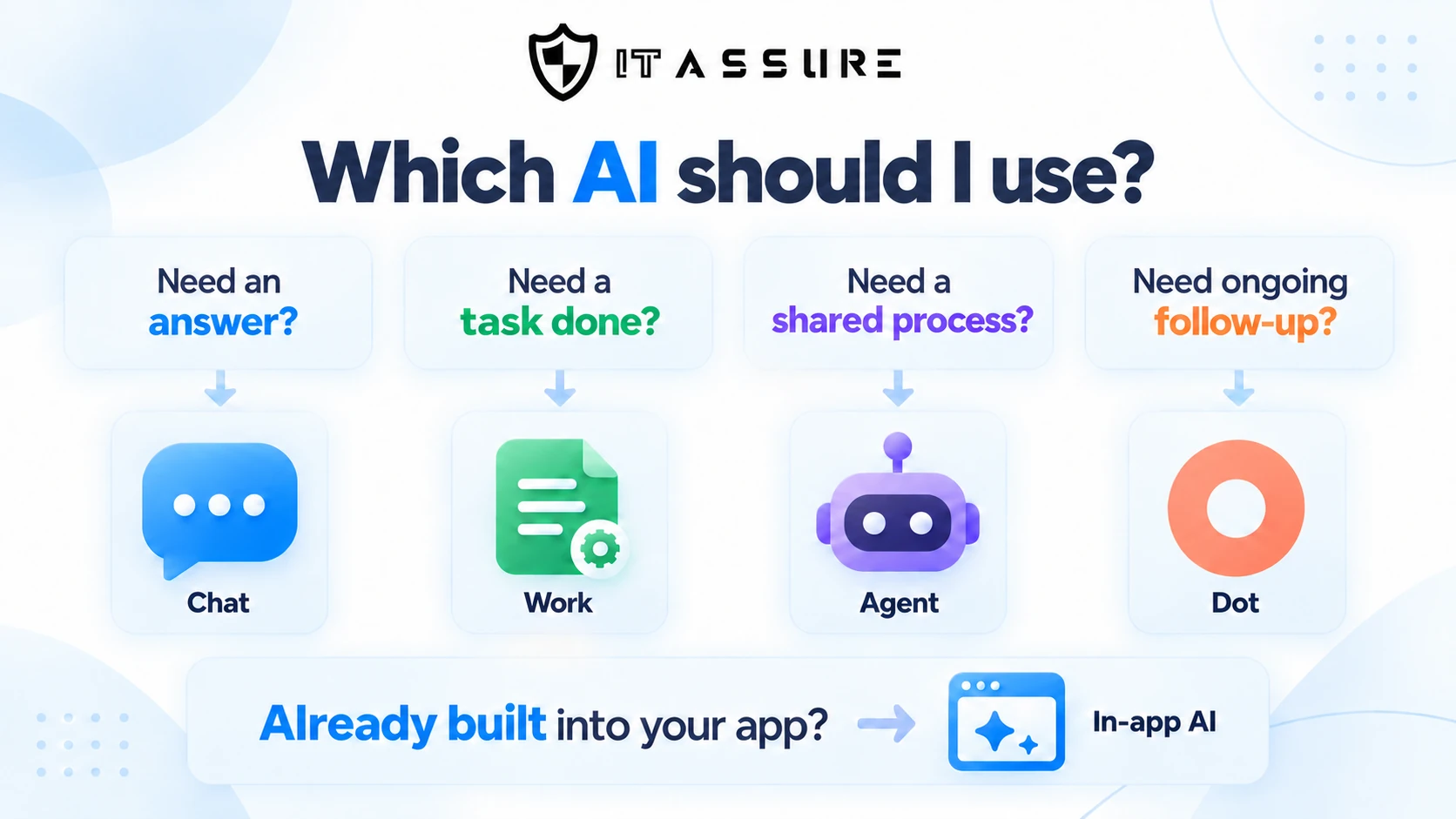
My recommendation is to give each tool a clear role rather than try to use every tool for everything.
Use Chat as your starting point for questions, explanations, analysis, and collaborative drafting.
Consider Work or a comparable execution tool when the assignment requires gathering information, working across applications, or producing a finished deliverable.
Consider a workspace agent when a useful process should be configured once and reused by colleagues.
Consider a dot when the value lies in keeping an ongoing responsibility moving and connecting new information to existing work.
And check the AI features already inside your software before building a separate workflow around a task that the application may already handle well.
You can also combine these approaches. I might discuss a website change in Chat, delegate the approved revisions through Work, and use a separate recurring process to check the result later.
Understanding the differences may not lead you to another subscription. It may help you make better use of the tools you already have.
Product descriptions reflect first-party documentation checked on October 12, 2026. Availability and capabilities vary by plan, platform, region, rollout, and workspace settings. The examples are illustrative except where identified as my own experience.

